

Data Export
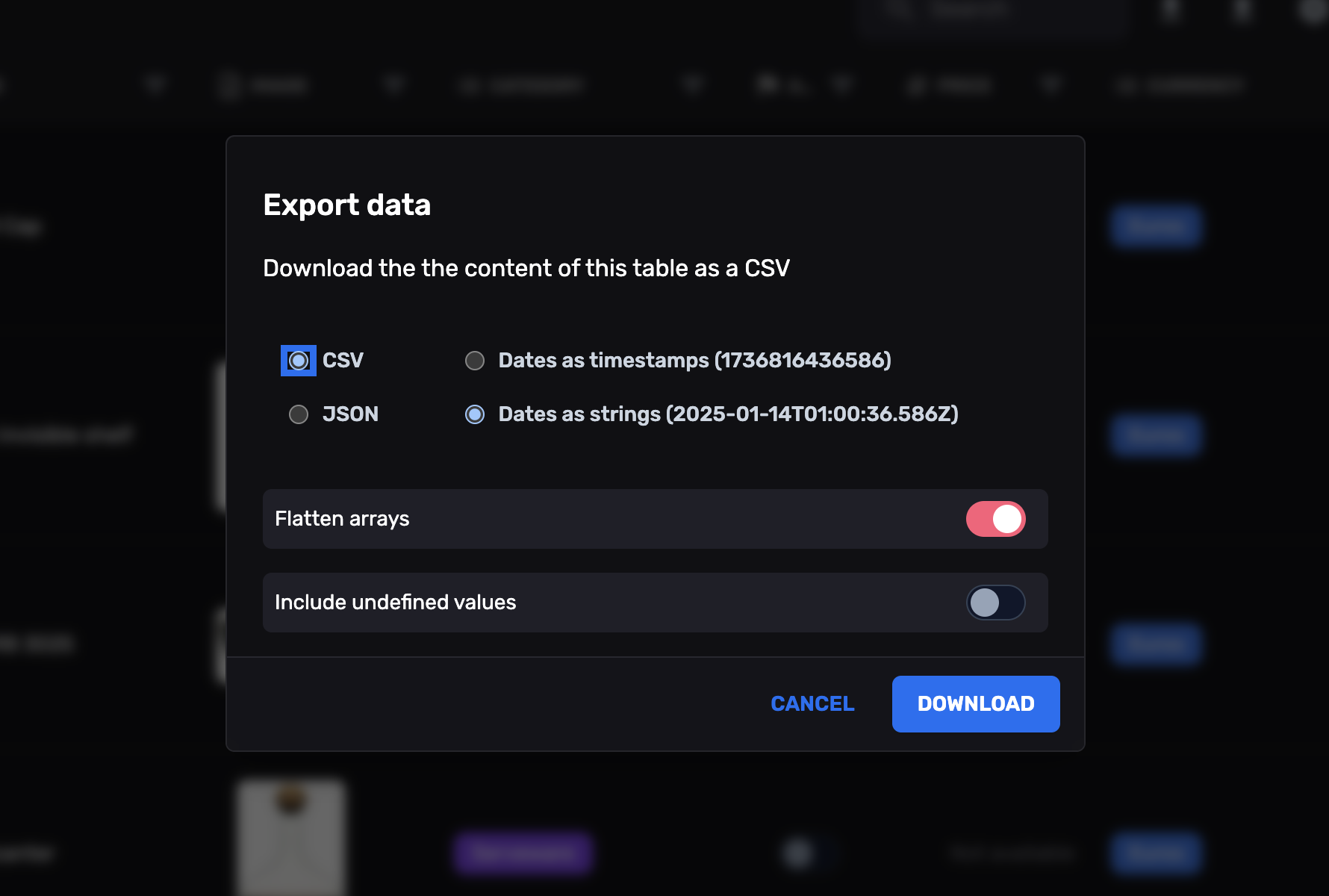
Export your Firestore data directly from your admin panel. The Data Export Plugin adds one-click JSON and CSV export to any FireCMS collection.
Installation
Section titled “Installation”First, ensure you have installed the necessary dependencies. To use the plugin, you need to have FireCMS set up in your project.
yarn add @firecms/data_exportor
npm install @firecms/data_exportConfiguration
Section titled “Configuration”The plugin requires minimal configuration and can be easily integrated into your FireCMS setup. You can customize the
export behavior using the ExportPluginProps.
ExportPluginProps Parameters
Section titled “ExportPluginProps Parameters”Below are the parameters you can configure:
exportAllowed: A function that determines whether exporting is allowed based on the provided parameters.- Type:
(props: ExportAllowedParams) => boolean - Default:
undefined(exporting is allowed by default)
- Type:
notAllowedView: A React node to display when exporting is not permitted.- Type:
React.ReactNode - Default:
undefined
- Type:
onAnalyticsEvent: A callback function triggered on analytics events related to exporting.- Type:
(event: string, params?: any) => void - Default:
undefined
- Type:
ExportAllowedParams
Section titled “ExportAllowedParams”The ExportAllowedParams type provides context for the exportAllowed function:
collectionEntitiesCount: The number of entities in the collection.- Type:
number
- Type:
path: The path of the collection in FireCMS.- Type:
string
- Type:
collection: The collection entity.- Type:
EntityCollection
- Type:
Hook Usage
Section titled “Hook Usage”The main hook to utilize the plugin’s functionality is useExportPlugin. Here’s an example of how to use it:
import React from "react";import { FireCMS } from "@firecms/core";import { useExportPlugin } from "@firecms/data_export";
function App() {
    const exportPlugin = useExportPlugin({        exportAllowed: ({                            collectionEntitiesCount,                            path,                            collection                        }) => {            // Example: Allow export only if there are more than 10 entities            return collectionEntitiesCount > 10;        },        notAllowedView: <div>Exporting is not permitted.</div>,        onAnalyticsEvent: (event, params) => {            console.log(`Export Event: ${event}`, params);        },    });
    const plugins = [exportPlugin];
    const navigationController = useBuildNavigationController({        // ... rest of your config        plugins    });
    return (            <FireCMS                navigationController={navigationController}                /*... rest of your configuration */            >              {({ context, loading }) => {                  // ... your components              }}            </FireCMS>    );}
export default App;
Setting up the Plugin
Section titled “Setting up the Plugin”To integrate the Data Export Plugin into FireCMS, use the useExportPlugin hook and pass the resulting plugin into the
FireCMS configuration. You will typically want to do this in your main App component.
Using the Export Functionality
Section titled “Using the Export Functionality”Once the plugin is integrated, you can use the export functionality directly within your collection views. The plugin adds export actions to your collection views, allowing users to export data as JSON or CSV.
Example: Exporting a Collection
Section titled “Example: Exporting a Collection”- Navigate to the desired collection in your FireCMS application.
- Click on the Export action in the collection actions toolbar.
- Choose the desired export format (JSON or CSV).
- The exported file will be downloaded to your device.
Customizing the Export Behavior
Section titled “Customizing the Export Behavior”You can customize how the export functionality behaves by providing custom implementations for the exportAllowed,
notAllowedView, and onAnalyticsEvent props.
Example: Restricting Export Based on User Role
Section titled “Example: Restricting Export Based on User Role”const exportPlugin = useExportPlugin({ exportAllowed: ({ collection, path, collectionEntitiesCount }) => { // Allow export only for admins return userRoles.includes('admin'); }, notAllowedView: <div>Only administrators can export data.</div>, onAnalyticsEvent: (event, params) => { // Log export events for auditing logAnalytics(event, params); },});ExportPluginProps
Section titled “ExportPluginProps”Defines the properties that can be passed to the useExportPlugin hook.
export type ExportPluginProps = { exportAllowed?: (props: ExportAllowedParams) => boolean; notAllowedView?: React.ReactNode; onAnalyticsEvent?: (event: string, params?: any) => void;}ExportAllowedParams
Section titled “ExportAllowedParams”Provides context to determine if exporting is allowed.
export type ExportAllowedParams = { collectionEntitiesCount: number; path: string; collection: EntityCollection;};