

Dynamic root collections
Let’s build a more complex example where the main navigation is loaded dynamically from
the database. We will use the units collection as the one for generating the
rest of the navigation.
For this example we will have Units and Lessons as the main content types,
imagine we are modeling the structure for a course.
In the units collection we will create a document for each unit:
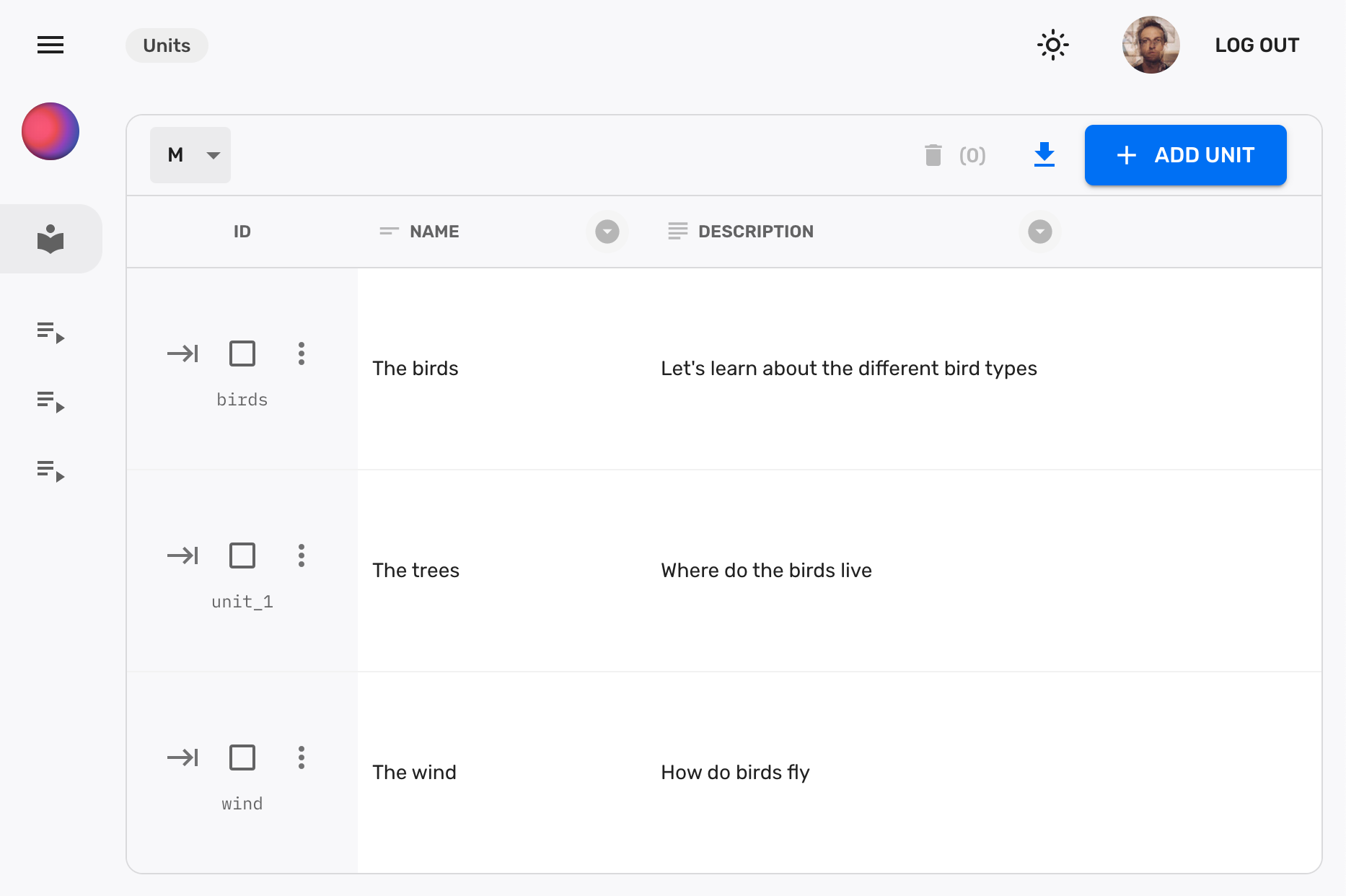
And each of those documents will generate a new navigation item. In this case we will have 3 navigation items, one for each unit:

Declare the main collection
Section titled “Declare the main collection”Let’s define the units collection as the main one:
import { buildCollection } from "@firecms/core";
export type Unit = {    name: string;    description: string;}
export const unitsCollection = buildCollection<Unit>({    name: "Units",    singularName: "Unit",    group: "Main",    id: "units",    path: "units",    customId: true,    icon: "LocalLibrary",    callbacks: {        onSaveSuccess: ({ context }) => {            context.navigation.refreshNavigation();        },        onDelete: ({ context }) => {            context.navigation.refreshNavigation();        }    },    properties: {        name: {            name: "Name",            validation: { required: true },            dataType: "string"        },        description: {            name: "Description",            validation: { required: true },            dataType: "string",            multiline: true        }    }});
Dynamic collection builder
Section titled “Dynamic collection builder”Typically in FireCMS you pass a static list of collections to the main CMS component, but in this case we need to build the collections dynamically based on the data in the database.
FireCMS allows you to pass a function that returns a list of collections to the
collections prop of the FireCMSApp component.
import { buildCollection, EntityCollectionsBuilder } from "@firecms/core";import { Unit, unitsCollection } from "./unit_collection";
const collectionBuilder: EntityCollectionsBuilder = async ({                                                               dataSource,                                                               user                                                           }) => {    const units = await dataSource.fetchCollection<Unit>({        path: "units",    });    const lessonCollections = units.map(unit => buildCollection<Unit>({        name: unit.values.name,        id: `units/${unit.id}/lessons`,        path: `units/${unit.id}/lessons`,        description: unit.values.description,        group: "Units",        properties: {            name: {                name: "Name",                dataType: "string"            },            description: {                name: "Description",                dataType: "string"            }        }    }));
return [ unitsCollection, ...lessonCollections ]};This code is fetching the data that is being generated in the units collection
and creating a new collection for each of the documents.
Full code
Section titled “Full code”Wiring it all together we get a simple app that allows us to create new units and lessons and navigate between them:
import { buildCollection } from "@firecms/core";import { FireCMSAppConfig } from "@firecms/cloud";
type Unit = {    name: string;    description: string;}
const unitsCollection = buildCollection<Unit>({    name: "Units",    singularName: "Unit",    group: "Main",    id: "units",    path: "units",    customId: true,    icon: "LocalLibrary",    callbacks: {        onSaveSuccess: ({ context }) => {            context.navigation.refreshNavigation();        },        onDelete: ({ context }) => {            context.navigation.refreshNavigation();        }    },    properties: {        name: {            name: "Name",            validation: { required: true },            dataType: "string"        },        description: {            name: "Description",            validation: { required: true },            dataType: "string",            multiline: true        }    }});


const appConfig: FireCMSAppConfig = {    version: "1",    collections: async ({ dataSource }) => {        const units = await dataSource.fetchCollection<Unit>({            path: "units",        });        const lessonCollections = units.map(unit => buildCollection({            name: unit.values.name,            id: `units/${unit.id}/lessons`,            path: `units/${unit.id}/lessons`,            description: unit.values.description,            group: "Units",            properties: {                name: {                    name: "Name",                    dataType: "string"                }            }        }));
        return [            unitsCollection,            ...lessonCollections        ]    }}
export default appConfig;